Optional module
The Dutch energy work, on the same rails
Everything else on this site is industry-agnostic, and stays that way. Switch this module on and the template designer gains sections for the address, the insulation, the installations and the rating — the ones that only make sense if you are producing energy labels and inspection reports in the Netherlands.
Type the address, get the building
The address section reads the national building registry. Street, postcode, city, building id and year of construction arrive together, and the record gets coordinates so it shows up on the map view without anyone entering them.
- InputKanaalstraat 12One line, typed
- LookupBAG recordStreet · postcode · city · year built · building id
- Map viewMapThe form is pinned on the map
The registered label fills itself in
If the property already has a label, it comes back with its class, its index, the dates it was registered and expires, and the building type it was assessed as. Nobody retypes it off a PDF.
Read from EP-Online, the national label register.
Components, zones and the product register
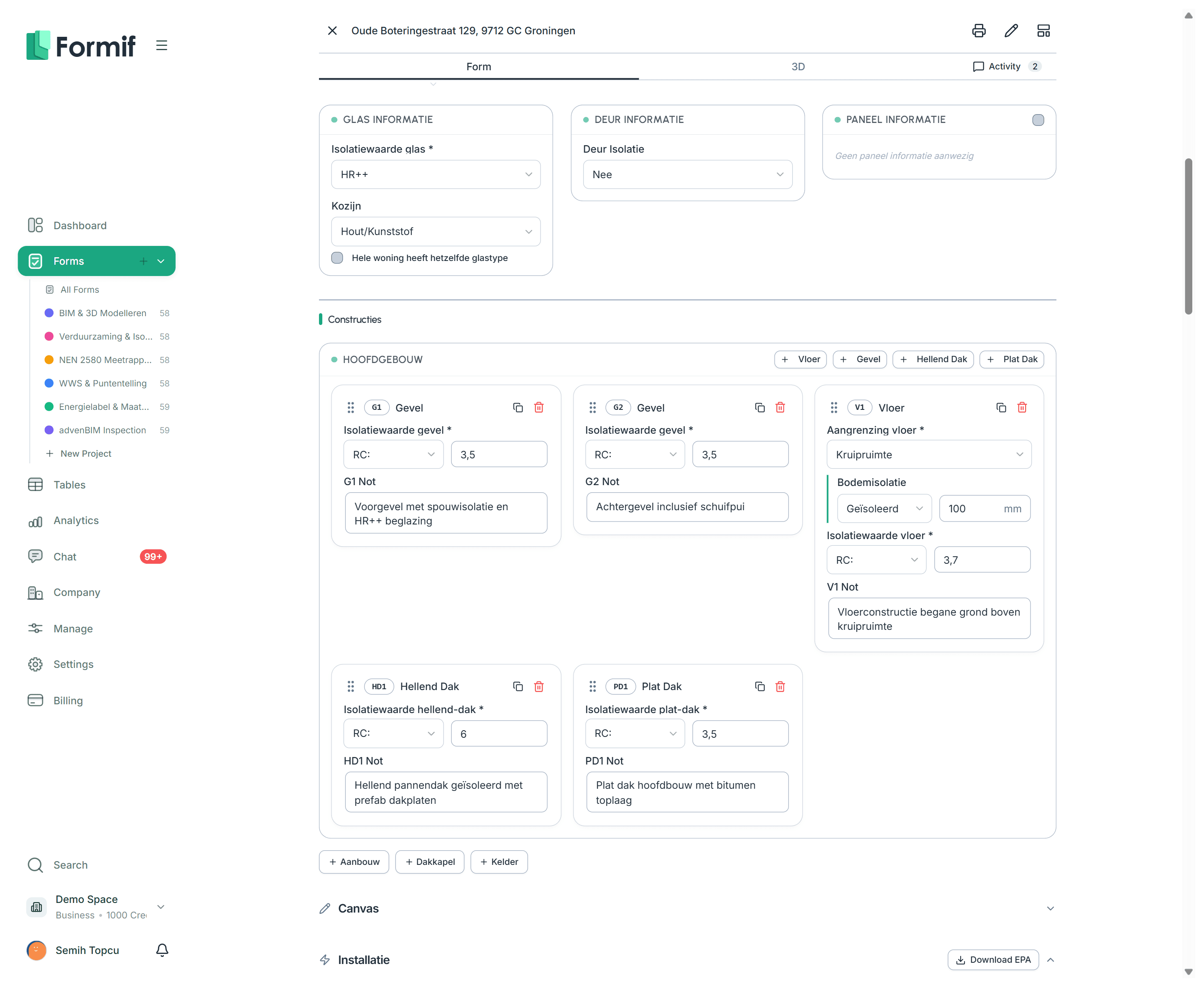
Walls, floors, pitched and flat roofs, panels — each with its own card, its insulation value and its calculation zone. Pick “kwaliteitsverklaring” as the value and a product search opens: choose the product and its brand, code and thickness are written into the form and carried through to the report.
- AnswerCalculation zones2
- AnswerAttic borders the AORTicked
- AnswerInsulation valueKwaliteitsverklaring
- OpensA second calculation zone
- OpensAttic component card
- OpensBCRG lookup field
- FieldInsulation valueKwaliteitsverklaring chosen
- RegisterBCRGDutch product register
- Written to the formKingspan Kooltherm K1220210580GK · 120 mm
Per zone, per system
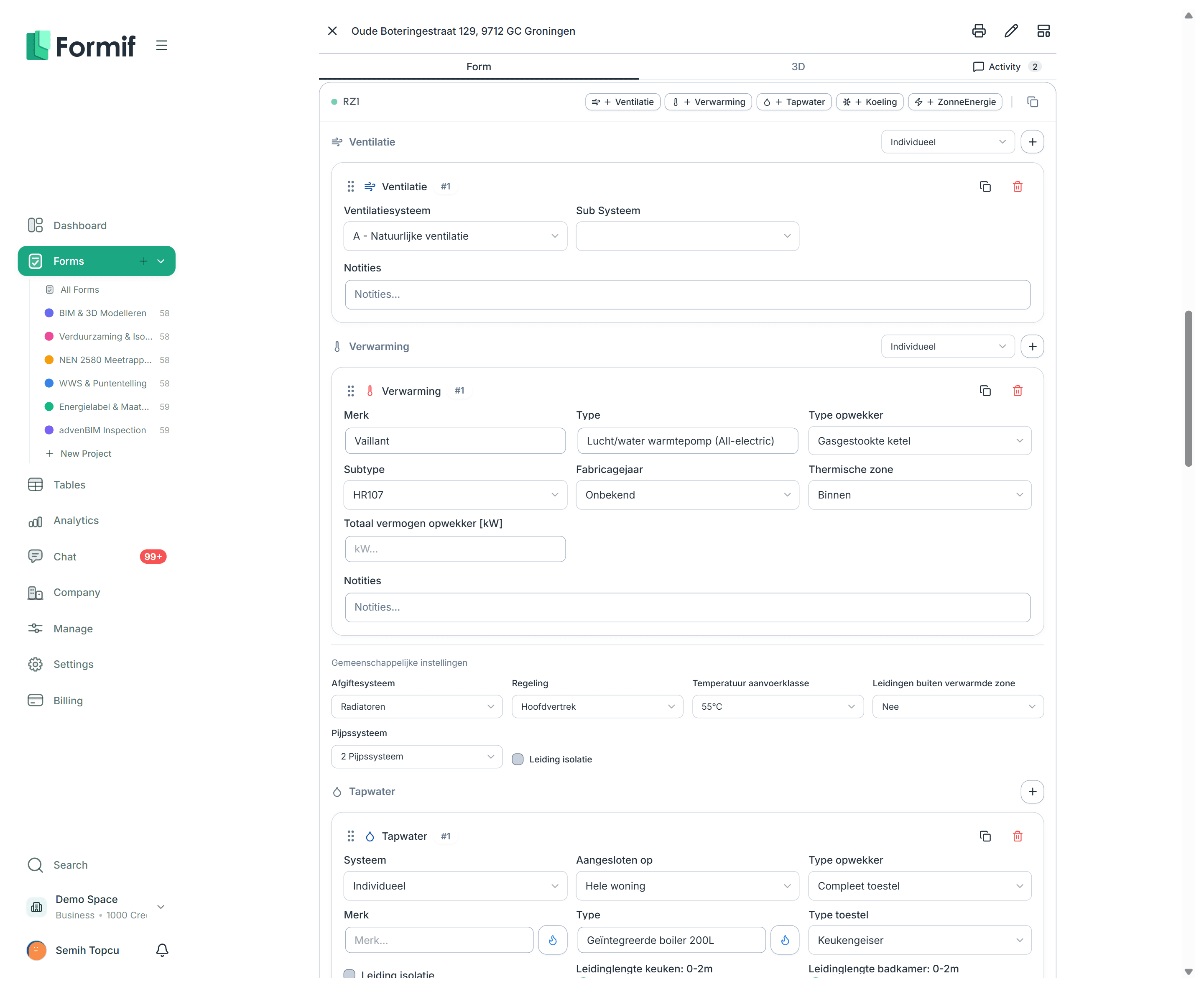
Ventilation, heating, hot water, cooling and solar, each attached to a calculation zone and each with the detail the calculation needs. This is the data the EPA export is built from.
- ZoneRZ1Add as many as you need
- Ventilation
- Heating
- Hot water
- Cooling
- Solar
- OutputEPA calculationOne button to download
The points sheet, captured
A structured block for the housing valuation data: dwelling type, monument status, kitchen and bathroom items, WOZ reference date and value, parking, care housing, charging points. Formif records it and prints it into the report — the scoring itself stays where it already lives.
Hand the calculation over
When the data is in, Formif writes a .epa file — a zip carrying the XML the calculation software expects — and uploads it to wherever you keep your files. It is a file Vabi can open, not a connection to Vabi, and the difference matters when something goes wrong.
The model, beside the form
Add a viewer section and the IFC file stored with the record opens in the form itself: measure lengths and areas with snapping, cut clipping planes through the model, and read the properties of whatever you click. It is a panel on the record, not a separate way of listing records.
Nothing else changes
These sections sit in the same templates, produce the same records, feed the same views and the same automations. Turn the module off and the rest of the product carries on exactly as it did.
Build your first form today
Start on the free plan and grow the plan as the team grows. No setup fee, no mandatory consultant.
No credit card required